
Getting started
Macrame is a small application that can be used to record macros and play those same macros through button panels.
WARNING
This application is currently in beta on Windows only.
Run this application at your own risk. It shouldn't break anything, but at this stage it might.
Never run this application on a public network! Only run this on a secured LAN network!
Download the latest (currently v1.0.0) zip: Macrame-release-1.0.0.zip.
Or download the latest build from the Macrame Github Page.
Unzip the contents in whatever place you prefer.
Run the Macrame.exe file and allow the application in the firewall.
Technical details
This will start an HTTP listener that will listen to a randomly generated port which can be found in public/config.js. It will serve the Macrame webapplication.
Some virus scanners will lable this as hazardous, because it's opening a port on your pc.
Macrame will only allow devices on the same network to connect to it.
The reason this is somewhat unsafe is because the connection is not secured (HTTPS). It shouldn't pose huge security threats on secured networks and there's encryption present to at least offer some security.
But it hasn't been properly tested, so I suggest to run this program on a secured network to reduce any risk.
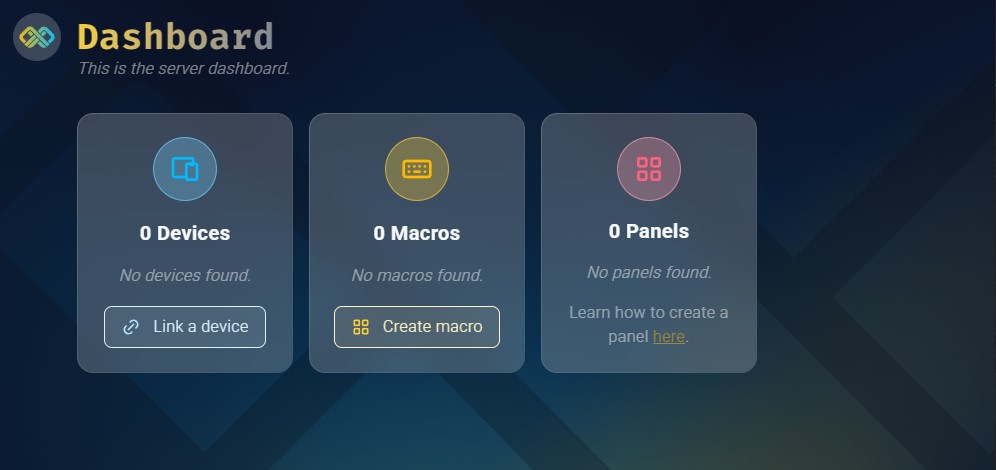
If everything went right Macrame will open the server interface in the default browser and you should see something like this:
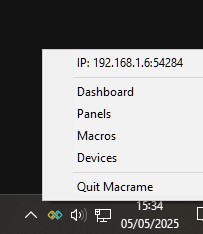
There will also be a traymenu and icon present.
Now you can start with linking a remote device or record a macro!
Panel creation can not be done in the app read the Panel creation page for more information.